Trade programme · 2027
Trade channel guide
From applying to receiving your order: how to get in, what each button does and how your price is calculated. With a quick-start page to keep at hand.
Contents
- Quick start3
- Getting in: the B2B button4
- The trade panel5
- Applying for an account6
- Logging in with a code7
- Inside the channel8
- The B2B menu, button by button9
- Your price and the tiers10
- Buying on the website11
- Cart and checkout12
- Quick Shop13
- Toolbox14
- My account15
- Favourites and sharing16
- Projects: saving pieces17
- Projects: your project18
- Payment, delivery, invoices and returns19
- Contact20
Quick start
Five steps and you are buying at your price.
Go to moodobjects.com and press B2B
Top left, next to Menu. On mobile, inside the menu.
Apply once
A two-minute form. We check your VAT number and call you within 24 working hours.
Log in with your email
No password: you get a six-digit code each time.
Buy at your price
Website price −10 %; −15 % from €6,000 and −20 % from €15,000 per order.
Track everything in My account
Orders, invoices, addresses and how much you have saved.
1Getting in: the B2B button
The trade channel is part of moodobjects.com. There is no other website or address: one button takes you to your area.
⌕ ♡ ▢Menu
FurnitureLightingDecorBrandsB2B · Trade 2- 1
Desktop
The word B2B, top left next to Menu. It is on every page.
- 2
Mobile
Open the menu (the three lines) and tap B2B · Trade, at the end of the list.
2The trade panel
Pressing B2B opens a panel on the right. If you are already logged in, it shows your studio’s name and takes you straight to the channel.
For those who choose for others.
Interior designers, architects, developers, hotels and restaurants.
Log in 1Studios already registered · access with a codeApply for a trade account 2Reply within 24 working hours, no feeSee the programme 3−10 % up to €6,000 and order tiers- 1
Log in
If your studio is already registered. It asks for your email and sends you a code.
- 2
Apply for a trade account
Opens the programme application form.
- 3
See the programme
Terms, tiers, service and FAQs.
- 4
Your price at a glance
Always visible, so nobody is unsure how it is calculated.
3Applying for an account
Once per studio. The form is at the end of the Trade programme page.
Application
Apply in two minutes
- 1
What you do
Choose your profile: interior designer, architect, studio, developer, hotel…
- 2
Your details
Use the email you will log in with. Each person in the studio can have their own.
- 3
Step 2
City, website or Instagram, VAT number and, if you like, a current project.
4Logging in with a code
There is no password to remember. Each time you log in, Shopify sends a six-digit code to your email.
Log in
Log in or create an account
Continue with Shop 3orstudio@yourstudio.com 1→Enter the code
We sent it to studio@yourstudio.com
- 1
Your email
The one you gave us when applying. Press the arrow.
- 2
The code
Find it in your inbox (and in spam, if it is slow) and type it in. Once accepted you are back on moodobjects.com, inside the channel.
- 3
Continue with Shop
This is Shopify’s login with its Shop app. You do not need it: use your email.
5Inside the channel
You will know you are in because the website changes: white background, your studio at the top and your price on every piece.
New Works
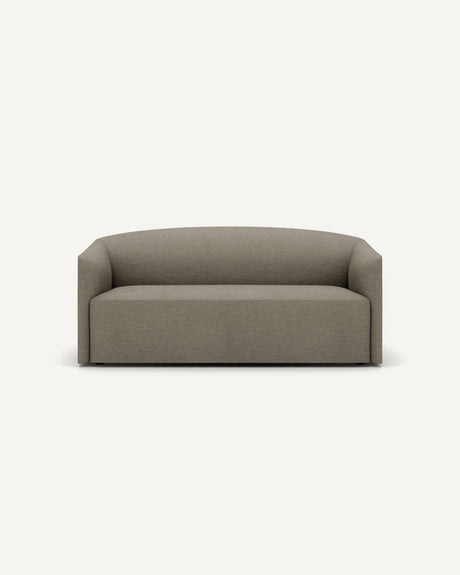
Shore sofa
€2,430 €2,700
Bensen
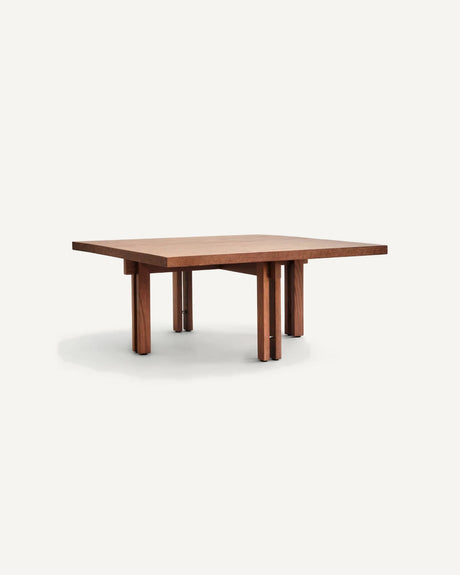
Radii table
€3,612 €4,013
Ferm Living
Dou lamp
€287 €319
- 1
Your studio
The name of the company you logged in with.
- 2
Your active price
It starts at −10 %. It switches to −15 % or −20 % by itself when the cart goes over €6,000 or €15,000.
- 3
Menu
The Menu button, top left, opens the side menu. See the next page.
6The B2B menu, button by button
It opens on the left with the Menu button. It is the website menu, with your price on everything, and the trade block at the end.
- New in 1
- Christmas
- Best Sellers
- Promotions−30 % +
- Furniture› 2
- Lighting›
- Decor›
- Home›
- Textiles›
- Kids›
- Books and stationery›
- Brands 3
- Quick Shop 4
- Toolbox 5
- My account 6
- Projects
- Leave B2B 7
Shipping and returns
Contact
WhatsApp +34 688 63 99 98
- 1
Campaigns
New in, Christmas, Best Sellers and Promotions. In Promotions: −30 % off the retail price plus your trade discount.
- 2
Categories
Each one opens into its subcategories: furniture, lighting, decor, home, textiles, kids, and books and stationery.
- 3
Brands
All 24 brands, each with its catalogue.
- 4
Quick Shop
The catalogues in magazine format. Page 13.
- 5
Toolbox
Guide, dossier, photos, spec sheets and price lists. Page 14.
- 6
My account
Orders, invoices, addresses and company. Page 15.
- 7
Leave B2B
Back to the consumer website without logging out.
7Your price and the tiers
Your price is the price shown on the website minus 10 %. In Promotions, −30 % off the retail price and your trade discount on top.
Price example
| Lamp · website price (RRP) | €169.00 |
| Your trade price (−10 %) | €152.10 |
| In Promotions (−30 % off RRP, then −10 %) | €106.47 |
Per order, not cumulative
| €3,000 order | −10 % |
| €8,000 order | −15 % on everything |
| €20,000 order | −20 % on everything |
| Next month, €300 | −10 % |
What it is calculated on
The value of the pieces in the order, already at your trade price and excluding delivery. Prices include VAT.
Exceptions
Vibia, Oluce and ORA at the website price. Contract (hotels, developers, full projects) at a fixed price.
Codes
Website discount codes are for consumers and cannot be combined.
Quotes
Anything we agree in writing in a quote overrides this table.
8Buying on the website
You browse as usual. Every card already shows your price and you can add it without opening the product page.
Ferm Living
Dou table lamp
€152.10 1€169.00 2
- 1
Your trade price
The website price −10 %. This is what you pay, VAT included.
- 2
Struck-through RRP
The brand’s recommended retail price, so you can see the difference.
- 3
Add
Choose finish and quantity and add from the card.
- 4
Availability
In stock, last units or made to order with its lead time.
- 5
Favourites
The heart saves the piece to your list. Hover to see the room photo.
9Cart and checkout
The cart tells you which tier you are in and how much is left to the next one. The discount appears as a line, and the same at checkout.
- 1
Tier bar
It moves with each piece. Past €6,000 or €15,000 the new tier applies to the whole order.
- 2
Discount line
“Pedido desde 6.000 € · −15 %” or “Pedido desde 15.000 € · −20 %” (order from €6,000 / €15,000). If it is not there, the order is still at −10 %.
- 3
Pay
Your company details are already filled in. Pay by card or on the agreed terms (for example, 30 days).
10Quick Shop
The catalogue in magazine format: New in, Promotions, Best Sellers, Deep Autumn and Christmas, sorted by type of piece, plus one catalogue for each category of the website.
- 1
Contents
Opens the chapters with their photo on the right. Press one to go to its page.
- 2
Page
Turn pages with the arrows, the keyboard or by swiping on mobile.
- 3
Cart
Whatever you add from the catalogue goes into the same cart.
- 4
PDF
Save the whole catalogue to send or print.
- 5
Four pieces per page
Press a piece: the quick view opens with finish, quantity and add.
- 6
Full-page piece
Every few pages, a piece with its room photo. View piece opens its product page.
11Toolbox
All the material to present mood. to your client, on one page.
- 1
Guide
This guide, online and as a PDF.
- 2
Dossier
To present to your client, in six languages.
- 3
Brands
All 24, with the files already available to download. Request price list opens a form.
- 4
Ask mood.
Spec sheets, samples, price lists or logos: write here and we reply the same day. Without leaving the website.
12My account
Your company dashboard. Everything about your orders in one place, without going through other pages.
- 1
Figures
What you have bought this year, what you have saved, what is outstanding and your cart’s tier.
- 2
Orders
With status and tracking. Expand one to see its pieces and reorder it in one click.
- 3
Invoices
Each order with its invoice. View opens the mood.-designed invoice to save as PDF.
- 4
Profile and company
VAT number, address, contact, payment method and how to add colleagues.
13Favourites and sharing
Save pieces for a project and share them with your client or your team.
Wishlist 1
Wishlist
Copy linkEmailWhatsAppInstagram- 1
Your list
The heart on each card or product page saves the piece. The list is under Favourites, at the top.
- 2
Send by email
Send the list to any address from a panel on the right.
- 3
Share list
Opens the share panel: link, email, WhatsApp or Instagram.
14Projects: saving pieces
One list per site or per client, inside your trade website. Created in a second and filled as you browse.
Nelson Bubble pendant · HAY
€467.40
Add Save to project 1Nelson Bubble pendant
€467.40- Casa Ribera · Living room 24 pieces
- Hotel Ribagorza · Rooms 36 pieces
- Olite penthouse 9 pieces
- 1
Save to project
Below “Add to cart”, on every catalogue card and product page. It saves the variant you have selected.
- 2
Pick projects
Tick one or several. The same piece can sit in a home’s living room and in a hotel’s rooms.
- 3
Create a new one
Type the site or client name and tap Create: the piece is saved straight away.
- 4
The button reminds you
Once the piece is saved, the button shows which project it is in.
- 5
Projects, at the top
Next to Favourites on desktop; in the B2B menu on mobile. The number shows how many projects you have.
15Projects: your project
Each project is a page with its pieces, its totals and everything you need to move it on.
Hotel Ribagorza · Rooms 1
- Pieces
- 36
- Retail total
- €21,584.00
- Saving on retail
- −€5,374.40
- Your price 2
- €16,209.60
Reaches the €15,000 tier: −20% on the order. 3
Add all to cart 4Request a quote 5- 1
Name, client and location
Edit by typing over them. Project notes are for you.
- 2
Totals
Pieces, retail total, saving and your price. Prices refresh every time you open the project.
- 3
Order tier
The bar fills towards €15,000. The text says which tier you are in and how much is left for the next.
- 4
Add all to cart
Sends every piece with its quantity. The tier applies in the cart.
- 5
Request a quote
Opens an email to hola@moodobjects.com with the list, quantities and the project link.
- 6
Share, print, duplicate
Share opens the panel with link, email and WhatsApp for your client or team; Print gives a clean PDF with prices and no website around it; Duplicate creates a variant to compare.
- 7
Quantity and note per piece
Adjust units and write the room, finish or size. The × removes the piece.
16Payment, delivery, invoices and returns
What you need to know for the order to arrive without surprises.
Payment
By card when you confirm the order, or on the terms agreed with your company. Pieces made to order at the factory are confirmed once payment is received.
Delivery
Free from €100; furniture, from €1,000. In stock, 24-72 h; made to order, 2 to 3 weeks. To site, to your studio or to the end client. Coordinated delivery and assembly, on quotation.
Invoices
In your company’s name, with the registered VAT number. Sent by email and available in My account › Invoices.
Returns
The 14-day right of withdrawal is for consumers. If something arrives damaged, tell us within 48 h; anything else is looked at case by case. Made-to-order pieces cannot be returned.
Emails you receive
Application received, access granted, login code, order confirmed, quote, payment reminder and shipping.
Several people
Write to us with each person’s name and email. Each person logs in with their own code.
One person, from start to finish.
Write to us about anything: a piece you cannot find, a lead time, a room-by-room quote.
- hola@moodobjects.com
- +34 688 63 99 98
- Website
- moodobjects.com
- Programme
- moodobjects.com/pages/programa-profesional
Num House Lab, S.L. · mood. objects & rooms · Trade channel guide, November 2026. Prices include VAT. Screen drawings are for guidance only.